Open webpage https://www.bromcomvle.com/
Click on the "Login with Microsoft Account" at the bottom of the page.
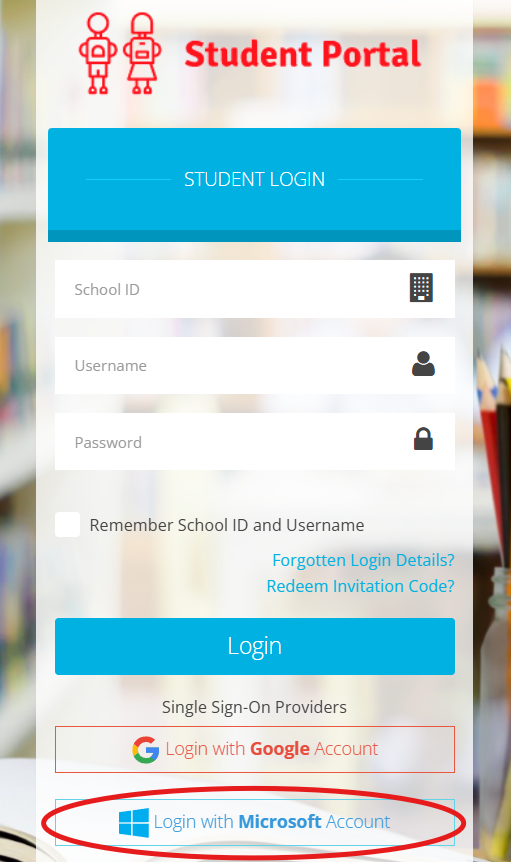
In school it should log you straight in. At home or on a phone or tablet it will ask for your school account details. For example 10999@de-aston.lincs.sch.uk and then your password.
If you have problems logging in please see your tutor for help.
Was this article helpful?
That’s Great!
Thank you for your feedback
Sorry! We couldn't be helpful
Thank you for your feedback
Feedback sent
We appreciate your effort and will try to fix the article